The 10 Simplest Website Tweaks for Designers to Get More Clients
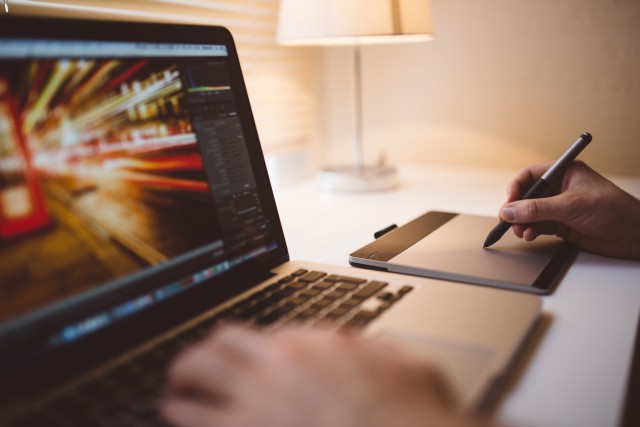
Are you a graphic, industrial or web designer? Do you want your website to look good? Do you ignore, dismiss or forget findability and usability? Well, I can help.
Designers often do not implement the simplest website tweaks for more visibility
They do not employ the easiest popularization techniques. These can drastically improve your performance on Google and bring you more clients.
Here are the 10 simplest website tweaks for designers, 2 of them actually off site.
- Change your page title from your name or portfolio to what/where/who or in other words [offer city – name], example: “Graphic Design Atlanta – John Doe”, use descriptive titles for each page
- Use CSS and webfonts for improved readability and an unique look of your body text and headlines
- Rename your navigation links from works, portfolio etc. to web design, print design, logo design etc. Use your name instead of about me
- Do not display solely one image per page, nobody clicks 10 times. Make lists of 10 images per page and create a page for each image.
- Display your content right away, don’t make me think or click (no “enter” pages, navigation only homepages), every links costs you visitors
- Display contact information right away and every page – an additional form is best – a phone number, email address a must.
- Display your name and/or URL on your images so that when they get redistributed the still advertise for you
- Join a community like Behance to share your work and to to spread the word
- Submit your well designed site to CSS or Web design galleries
- Start a blog and link out to all your friends and people you admire for their work
Stop ignoring SEO and UX both of which are two sides of the same coin. Design is not about fancy graphics it’s about findable and usable interfaces.
Last updated: March 19th, 2017.
Read More Recent Posts:
Suffering from HCU? Holy Crap! Helpful Content System Agony
Is Topical Authority an SEO Hype or the AI Content Crap Savior?
Social SEO Metrics to Embrace in 2024 Instead of Website Traffic
Piggyback vs Parasite SEO - Why the Confusion?
SEO Works! How? Step by Step! Plus Examples of SEO Projects
Why SEO is Dead Serious: Google Hates Humor! #seohorrorstories

It is always a good idea to display your content right away like you said. You can’t depend on the fact that they will click and go to another page. Internet users want to click the least possible times. Great thoughts!
Good advice, this should come in handy. Thanks for sharing!
I would add, use descriptions for all your portfolio pieces including technology, client name and geographic qualifiers, etc. IE: E-commerce web site using Platform Here for Client Name Here an Industry Here in Geographic Location here.
Really nice tips. BTW don’t you think image replacement technology is harmful for sites?
I agree with point 1, 3, 5, 7,8 and 10.
[…] SEO 2.0 | The 10 Simplest Website Tweaks for Designers to Get More Clients (tags: seo) […]
Thanks for the post. I needed it. I am not a desginer but i can direct my designer for a better site of mine.
About point 10: could you explain that a bit more? Is it for the hope tat they will link back to you also?
Robert: Thanks, make sense.
Cospar: The above mentioned image replacements are all Google and SEO friendly. Google itself recommends sIFR. The only drawback might be accessibility.
Thomas: Yes, indeed. This is one of the reasons. People you link to will remember you, some of them will become your community so in the end you get more than just links.
Also Google loves so called “hub” sites that link out plenty instead of stingy unnatural PageRank “sculpters” afraid of “leaking PR”.
Great tips, I’ll tweet it @amberweinberg :D
Thanks for the info about Facelift Image Replacement (FLIR) for WordPress. This plugin is great and now is on my top recommended.
I don’t know, my website is kind of ugly and it still converts like crazy!
Hey, you are teaching seo to web designers:O. Its our work dear, let them do their work:P. Lol,anyways good article. Showing your work on the home page is the most import thing. One can use small images,flash or slideshow to show his work on homepage, and give direct links to their client sites.
[…] The 10 simplest website tweaks for designers to get more clients – SEO Blog […]
Do not display solely one image per page, nobody clicks 10 times. Make lists of 10 images per page and create a page for each image. Forget thumbs, clients who can’t afford broadband probably can’t afford design too.
Good points and if all these are adopted then the person should be an SEO designer or a pro :)
Quote [Stop ignoring SEO and usability both of which are two sides of the same coin] Your are true :)
What about design of a web site ?
Ya the simple design of a web site. Is that still a factor ?
Allen
Some great tips, I would add points 8, and 10 which are basically about becoming more social and accessible online- sign up for twitter and facebook, comment on other peoples blogs and in related forums etc.
Thank you for sharing your use of the technique!
I’m not an expert in SEO, but such a website as yours help to progress in informatics.
They say that small opportunities are often the beginning of great enterprises.Thank you for giving us such opportunities!
I stumbled upon this website by accident. There are some really good tips which can be used for other industries.
Need all the help I can get.
This looks great… thanks for sharing.
Keith D
2. WHY use sIFR ?
Just use Flash, optimise it with a reduced/embedded fonttype. This way it will be something like 2Kb !
Example: http://www.guitar-teaching.co.uk
4. Bad bad advice.
Never assume anything.
A rich client could still be on a slow connection for various reasons: remote area, pacific island, satellite problems, mobile device (iPhone) but a slow operator.
Never assume anything. Think Accessibility
6. I disagree about the form part.
Having a form on every single page will add too much noise. It decreases usability. Have a form, no doubt, but not on all pages. (Unless it’s a blog or blog-like site)
Good post. I have a designer’s site and I’ve already had done most of the stuff you recommend. Only I haven’t submitted it to CSS galleries – it doesn’t look that good. On the tenth point, once you’ve created the blog, keep on writing quality content with your keywords naturally within the titles and sub-titles of posts and in alt image tags, etc.
I am more agreed with the last line from the post “Design is not about fancy graphics it’s about findable and usable interfaces”. One should have his concepts cleared while designing website.
What fantastic advice every point makes sense and is gospel if you want to succeed.
Thanks for sharing.
+1 for #4 and #5, put related content on one page, if you have too add an extra page per item with in-depth information.
Does most of this still apply today? I see this was posted in 2013 and given the ever evolving world of SEO there may be some new updates you can touch on. Thank you for this information though I really enjoyed the read.
Hey Michael,
I just re-read the post and most things still apply. I will introduce some cosmetic changes in the near future though.
Sincerely, tad