Why Use a Black and White WordPress Theme for Business Blogging?
 *
*
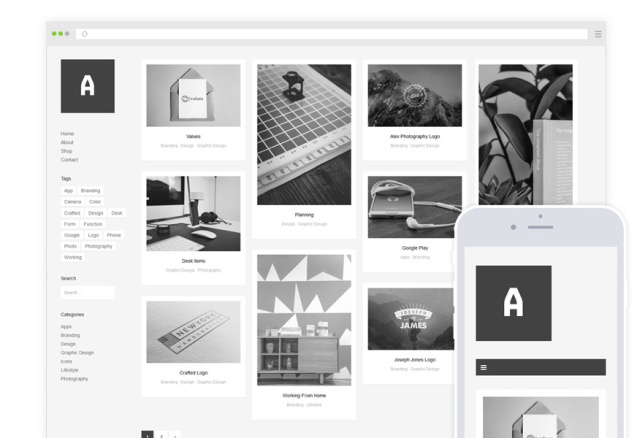
Why use a neutral black and white WordPress theme for your business blog? There are many reasons.
Obviously when you take a look at books or newspapers you will realize that most of them use white paper and black type.
Sure, tabloids and glossy magazines use a lot of color by now and lots of photography as well.
Yet for business you don’t want to distract.
That’s not the only reason to keep it simple.
Embracing minimalism when it cones to your business blog makes you more trustworthy.
Black and White from Day One
When I started this blog in 2007 I had partnered with a designer who created a lovely black and white WordPress theme. Sadly he discontinued the theme support after two years.
In those days most WordPress themes did not look very good.
To find a well-designed one was hard and those featuring a lot of color were usually way over the top.
I switched to another one with a strategic bit of color in the header in 2009.
The second one worked fine for years until the mobile revolution made a mobile-friendly alias responsive theme necessary.
In 2012 I found an almost perfect WordPress theme in black and white
It was free but still in its Alpha version. It’s called Origin. I still use it! Why?
As a professional I could easily customize and adapt it to my needs and specifically to my content.
Yes, I still use it today, a decade later. I do for more than one blog.
Some argue that it looks a bit antiquated by now but to me it’s timeless. I don’t follow short-lived Web design trends.
I used it ever since on this and three other blogs. Can I recommend it? Yes.
It’s not for everybody though but I also like to suggest alternatives.
Free vs Premium WordPress Themes
As my WordPress theme like most others needs a few tweaks here and there I can only recommend Origin for advanced users with coding abilities similar to those I have.
I’ve been a Web developer starting in the late nineties. I quite coding shortly after I started blogging around 2004.
It’s like the old saying goes “you get what you pay for”. The less you pay the more you have to contribute yourself.
On the other hand so-called premium WordPress themes look great on the demo versions of the theme creators usually.
Yet once you insert your legacy blog or website content into them look completely differently and often ugly. Why?
Most themes developers do not develop using actual content.
They only use idealized “dummy” text like Lorem Ipsum so that the theme is not prepared for real life use cases.
Origin was not ready for prime-time out of the box either. I changed the fonts for example. I improved readability in general.
Yet I was able to tweak it upfront before going live or paying for it.
Sometimes I bought a WordPress theme just to realize that it was useless for my actual content. That was a big disappointment.
Sure, when you get something for free you need to invest some work yourself as well. Often even more.
At least you don’t waste money on the wrong theme though! Why?
Test a New WP Theme with Actual Content
When you start your blog these days or want to improve your existing blog without the additional fuss of tweaking?
No time for a theme you need to fix some issues that still persist? Then I suggest extensively testing it upfront with actual content.
You can get a professionally designed WordPress theme for around 50$ these days but most of them can’t be tested with your content before you buy them.
Yeah, that’s a good price compared to a custom web design which would cost rather 5000.
I have built custom websites in the past and it’s not only the price that is the problem.
The whole process of building and testing a website is tedious. Updating a custom built site can be a nightmare even for Web-savvy folks who are not afraid of coding.
Thanks God you can use a ready-made CMS and theme by a third party.
Yet even WordPress themes require a lot attention before you can go live so that it’s crucial you can test-run them with your actual content before you purchase them.
When it comes to WordPress themes it’s also crucial to use simple ones that do not steal attention from the actual content. Simplicity is the ultimate sophistication for business blogging.
Why Get a Black and White WordPress Theme?
Do you need even more reasons to choose a black and white WordPress theme?
You actually overwhelm people by using fancy graphics and complicated styles.
Less is more when it comes to colors as well. Let the content shine by using color.
Focus on content by providing enough white space and reducing the overall range of colors your design exhibits.
Black and white or monochrome WordPress themes are the best solution.
Monochrome means not only black and white but all shades of grey in-between the two extremes.
My favorite free and premium WordPress theme designs are also very minimalist black and white WordPress themes.
Best of all they work for all my blogs. I don’t have to to get a separate design for each blog.